Early Bird Special - Save 53%

Ship polished Figma designs from the first review.

Catch every UI/UX issue before handoff. Fewer revision cycles, faster approvals, and designs that are accessible by default — all from one Figma plugin.

Free Figma plugin
Fewer revisions
Faster approvals
Better designs in minutes, not days.

One plugin replaces hours of manual review. Get actionable feedback on visuals, accessibility, copy, and layout — so every design ships ready.

Visual Elements

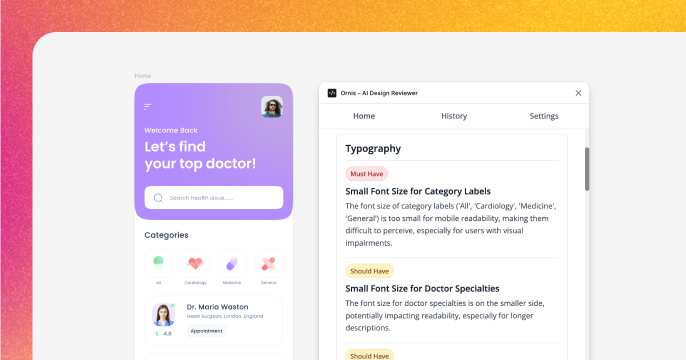
Nail your typography, colors, and spacing on the first review. Get actionable feedback so every frame looks intentional and consistent before it leaves Figma.

Visual Elements - comprehensive UI/UX analysis

Typography

Readable, consistent type that scales across screens.

Visual Style

Colors that feel cohesive and on-brand every time.

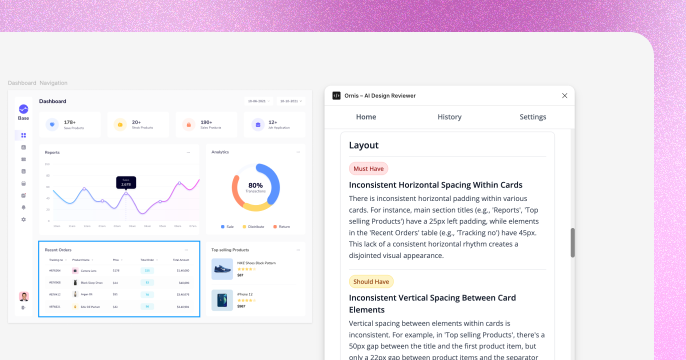
Layout & Spacing

Pixel-perfect alignment and breathing room, handled for you.

Experience & Quality - accessibility and usability

Experience & Quality

Ship designs that are accessible and polished — without manual audits. Every frame gets checked for WCAG compliance, usability, and visual consistency automatically.

Accessibility

Inclusive by default — WCAG issues caught before handoff.

Usability

Flows that make sense to real users, not just designers.

Visual Design

A polished look that holds up under scrutiny.

Heatmap Generation

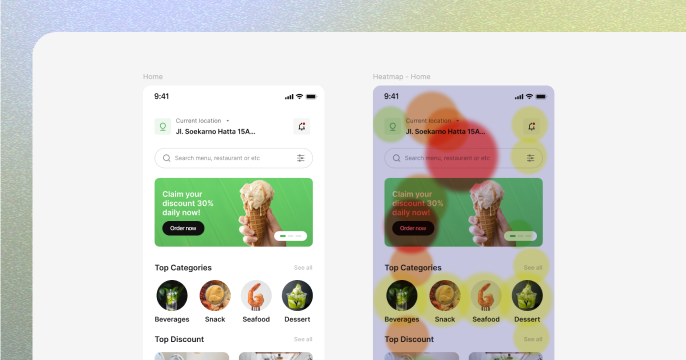
Know exactly what grabs attention — before a single user test. Validate visual hierarchy and fix blind spots with AI-generated attention maps.

Heatmap Generation - attention and interaction maps

Attention Areas

See what users notice first — and what they miss.

Interaction Points

Confirm your CTAs and key actions stand out.

Visual Hierarchy

Ensure the most important elements dominate the page.

Copy Suggestions - AI copy variations

Copy Suggestions

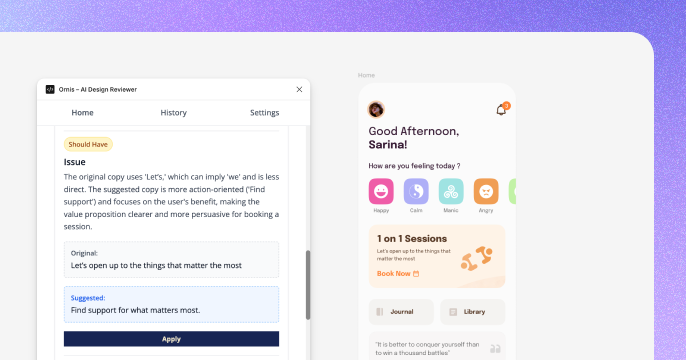
Headlines and CTAs that convert — in the tone your brand needs. Stop guessing at microcopy and get variations that are ready to ship.

Persuasive

CTAs that drive clicks and conversions.

Conversational

Copy that feels human and builds trust.

Professional

Polished tone that fits enterprise and B2B.

Design Inspiration

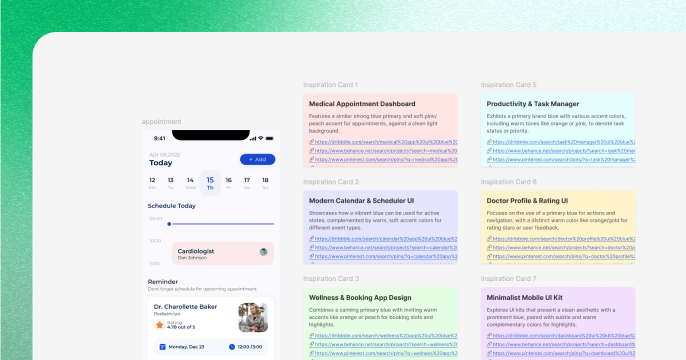
Break creative blocks in seconds. Get layout alternatives and fresh ideas grounded in best practices — so you never start from a blank canvas.

Design Inspiration - layout and trend ideas

Layout Alternatives

Explore structures proven to work for your use case.

Color Palettes

Fresh palettes that complement your existing brand.

Component Patterns

Reusable patterns you can drop straight into your file.

From frame to feedback in 60 seconds

Three steps. No setup. No waiting.

Install Plugin

One click from Figma Community. Ready in seconds.

Select Frame

Pick the frame you want reviewed. That's it.

Get Feedback

Actionable feedback you can apply immediately.

Built for how you actually work

Whether you're learning the craft or leading a team — Ornis helps you ship work you're proud of, faster.

Students

Build a portfolio that stands out. Learn what works (and what doesn't) with instant feedback on every project.

Students using Ornis

UI Designers

Ship accessible, pixel-perfect interfaces every time — without waiting days for a review cycle.

UI Designers using Ornis

Design Managers

Maintain quality across every project without becoming the bottleneck. Your team ships consistent work, faster.

Design Managers using Ornis

UX Researchers

Validate designs against real user behavior before testing. Spot hierarchy and flow issues early, save research cycles.

UX Researchers using Ornis

Product Designers

Iterate on features in one click, not one meeting. Ship confident designs with every sprint.

Product Designers using Ornis

Freelancers

Impress clients on the first delivery. A second pair of eyes on every project — without hiring a second designer.

Freelancers using Ornis

Skip the back-and-forth

See what changes when you stop waiting for manual reviews

Feature Ornis AI Manual Review
Time to first feedback Under a minute Hours to days
Actionable next steps Every review, every time Depends on reviewer
Attention validation AI heatmaps included Requires user testing
Copy that converts Multiple ready-to-use variations Sometimes
Available at midnight Always on, any timezone Limited hours
Cost per review Starting free $50-200+

Start free, upgrade when you're ready

No surprises. Pick the plan that fits your workflow.

Free
Free/month

Start shipping better designs today

  • AI design review
  • Heatmap generation
  • 5 reviews per month
  • UX copy suggestions
  • Design inspiration & Figma comments
Get started for free

No credit card required

Early bird discount
Pro
$9/month $19

$19/month after first month

Use code FIRSTMONTH at checkout

  • Everything in Free
  • 100 reviews per month
  • Premium AI models
  • Priority support
Get started for free

Cancel anytime

Team
Custom

For teams that ship at scale

Coming Soon
  • Everything in Pro
  • Unlimited reviews
  • Unlimited team members
  • Custom AI model training
  • Dedicated support
  • SSO & advanced security

Be the first to know

Join the Team waitlist

We’re building something for bigger teams and we’d love to hear from you. Share a few details and we’ll reach out when we’re ready.

Frequently Asked Questions

Everything you need to know about Ornis

How does Ornis analyze my designs?

Ornis reviews your Figma frames the way a senior designer would — checking typography, colors, layout, hierarchy, and accessibility. You get actionable suggestions you can apply immediately, powered by leading pro AI models for exceptional accuracy.

Do I need an API key to use Ornis?

No! Ornis works out of the box — install, sign in, and get your first review in under a minute. For custom token integration and advanced detailed comments, you can optionally provide your own API key.

Can I use Ornis with multiple frames?

Free and Pro both support 1 frame per review. Select one frame in Figma to get AI feedback. Our upcoming Team plan will support multiple frames per review.

How accurate are the AI suggestions?

Very. Ornis uses state-of-the-art pro AI models (Claude, ChatGPT, Gemini) grounded in design best practices. Most designers tell us the suggestions are on par with senior-level feedback — though we always recommend applying your own judgment too.

Can Ornis post comments directly to Figma?

Yes! Feedback lands as Figma comments directly on your frames — so you can review, resolve, and collaborate without ever leaving your file.

Is Ornis free to use?

Yes! The free plan gives you 5 reviews per month with full access to design reviews, heatmaps, copy suggestions, and inspiration. Most designers start free and upgrade to Pro when they need more volume.

What makes Ornis different from other design tools?

Most tools do one thing. Ornis gives you design reviews, heatmaps, copy optimization, and inspiration — all in one plugin, all powered by leading pro AI models. One install replaces an entire feedback workflow.

Stop guessing. Start shipping.

Join designers who catch every issue before handoff — and get approvals faster. Try Ornis free today.

Available for Figma Desktop · No credit card required